Complete WhatsApp Marketing Guide
Table of Contents
- What is WhatsApp Marketing?
- How to Use WhatsApp for Business
- WhatsApp AI Chatbot Guide
- How to Send Bulk Messages on WhatsApp
- WhatsApp Marketing Automation
- Best WhatsApp Marketing Tools & Software
- Legal WhatsApp Marketing & Opt-ins
- Creating WhatsApp Message Templates
- WhatsApp Marketing Strategies & Best Practices
- How to Grow Your WhatsApp Subscriber List
- Measuring WhatsApp Marketing ROI
- WhatsApp vs Facebook Messenger Marketing
- Integrating WhatsApp with CRM
- WhatsApp Commerce Guide
What is WhatsApp Marketing?
WhatsApp marketing is the practice of using WhatsApp's messaging platform to connect with customers, promote your business, and drive sales. With over 2 billion active users worldwide, WhatsApp has become one of the most powerful channels for direct customer communication.
Unlike traditional marketing channels, WhatsApp offers something special: incredibly high open rates (around 98%) and engagement rates that blow email marketing out of the water. When someone receives a WhatsApp message from your business, they're almost guaranteed to read it within minutes.
- Direct, personal communication with customers
- 98% open rate compared to 20% for email
- Real-time customer support and engagement
- Rich media sharing (images, videos, documents, catalogs)
- Global reach with minimal costs
- High conversion rates through personalized messaging
How to Use WhatsApp for Business
Getting started with WhatsApp for business is easier than you might think. You have two main options depending on your business size and needs.
WhatsApp Business App (For Small Businesses)
The WhatsApp Business app is perfect if you're a small business owner or solopreneur. It's free, easy to set up, and gives you basic business features like automated greeting messages, quick replies, and a business profile with your hours, location, and catalog.
Here's what you can do with the Business app: create a professional business profile, set up automated away messages, organize chats with labels, share your product catalog, and use quick replies for frequently asked questions. It's straightforward and gets the job done for businesses handling up to a few hundred conversations.
WhatsApp Business API (For Medium to Large Businesses)
If you're running a bigger operation or need advanced features, the WhatsApp Business API is what you want. This isn't something you download from the app store—you need to apply for it through Meta or work with an official Business Solution Provider.
The API unlocks powerful capabilities like unlimited messaging, multiple team members handling conversations, chatbot integration, CRM system connections, and detailed analytics. It's built for scale and automation, perfect for businesses sending thousands of messages daily.
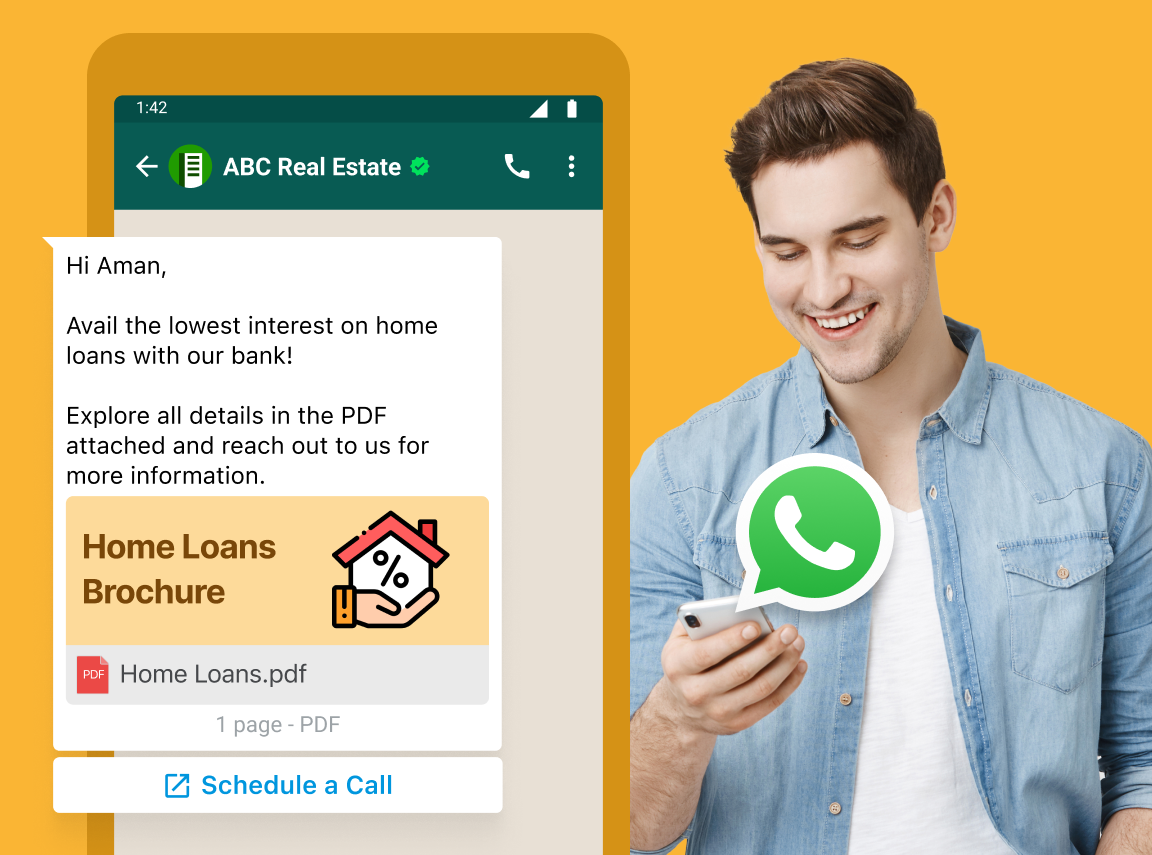
How to Create a WhatsApp AI Chatbot
WhatsApp chatbots are game-changers for businesses. They handle customer inquiries 24/7, qualify leads automatically, process orders, and provide instant support—all without human intervention. Let me walk you through creating one.
Step-by-Step Chatbot Creation Process
Step 1: Get WhatsApp Business API Access
First things first, you need API access. Apply through Meta directly or partner with a Business Solution Provider like Twilio, MessageBird, or Gupshup. The approval process usually takes a few days to a week.
Step 2: Choose Your Chatbot Platform
Pick a chatbot builder that integrates with WhatsApp. Popular options include ManyChat, Chatfuel, Landbot, and Dialogflow. Look for platforms with visual flow builders, AI capabilities, and good integration options.
Step 3: Design Your Conversation Flows
Map out how conversations should go. Think about common customer questions, your sales process, and support scenarios. Start simple—maybe a greeting, main menu, and a few common paths customers might take.
Step 4: Build and Train Your Bot
Use your chosen platform to build conversation flows. Add personality to your bot—make it sound like your brand. If you're using AI, train it with real customer conversations so it understands different ways people ask the same question.
Step 5: Test Thoroughly
Before going live, test everything. Try to break your bot. Get team members to test it. Make sure it handles unexpected inputs gracefully and always has a path to reach a human when needed.
How to Send Bulk Messages on WhatsApp Without Getting Banned
Here's the truth: WhatsApp takes spam seriously, and they will ban accounts that abuse the platform. But you absolutely can send bulk messages legally and safely if you follow the right approach.
The Right Way to Send Bulk Messages
Use WhatsApp Business API
This is the only legitimate way to send bulk messages at scale. The API is designed for business messaging and comes with proper rate limits and guidelines.
Get Explicit Opt-ins
Every single person on your list must have explicitly agreed to receive messages from you. No exceptions. You can't just add people because you have their number. That's spam, and WhatsApp will catch it.
Use Approved Message Templates
For promotional messages, you need to use pre-approved templates. WhatsApp reviews and approves these templates to ensure they're not spammy. The approval process usually takes 24-48 hours.
Personalize Your Messages
Generic "Dear Customer" messages perform poorly and raise red flags. Use people's names, reference their previous purchases, or segment your audience so each message feels relevant.
Respect Rate Limits
Don't blast thousands of messages simultaneously. WhatsApp has quality rating systems, and if too many people block you or report your messages, your rating drops. Start slow, monitor engagement, and scale gradually.
Provide Value, Not Just Promotions
Mix promotional messages with valuable content. Share tips, helpful resources, exclusive information—things people actually want to receive. If you only send sales messages, people will tune out or block you.
How to Automate WhatsApp Messages for Business
Marketing automation on WhatsApp saves time, improves response times, and creates consistent customer experiences. Here's how to set it up effectively.
Types of WhatsApp Automation
Welcome Messages
When someone messages your business for the first time, automatically send a friendly greeting. Introduce your business, set expectations for response times, and maybe offer a menu of options. This sets a professional tone immediately.
Away Messages
Can't respond right away? Set up away messages for after-hours or when your team is busy. Let customers know when you'll get back to them. It's simple courtesy that prevents frustration.
Quick Replies
Create shortcuts for frequently asked questions. Instead of typing the same answer fifty times a day, set up quick replies triggered by keywords. Your team saves time, customers get instant answers—everyone wins.
Drip Campaigns
Set up automated message sequences that nurture leads over time. Someone downloads your guide? Send them related tips over the next week. New customer? Create an onboarding sequence that helps them get the most value from your product.
Order Updates
Automatically notify customers about order confirmations, shipping updates, and delivery status. These transactional messages are expected, appreciated, and build trust.
Abandoned Cart Recovery
Detect when someone adds items to their cart but doesn't complete the purchase. Send a friendly reminder with a direct link to checkout. This simple automation can recover 20-30% of abandoned carts.
Best WhatsApp Marketing Tools & Software
The right tools make all the difference in WhatsApp marketing. Here are the top platforms businesses are using successfully.
Top WhatsApp Marketing Platforms
Twilio
Twilio is the developer's choice. It offers robust API access, excellent documentation, and integrates with virtually anything. If you have technical resources or want maximum flexibility, Twilio is hard to beat. It's powerful but requires some technical know-how to set up.
MessageBird
MessageBird strikes a nice balance between power and usability. Their platform handles WhatsApp alongside other channels like SMS and email. Good for businesses wanting omnichannel communication without juggling multiple tools.
Interakt
Interakt is specifically built for WhatsApp commerce in India and emerging markets. It's user-friendly, offers pre-built templates for common use cases, and includes features like catalog sharing and payment links. Great for e-commerce businesses.
WATI
WATI (WhatsApp Team Inbox) focuses on team collaboration and customer support. Multiple agents can handle conversations, with features like assignment rules, internal notes, and performance analytics. Perfect for customer service teams.
Gupshup
Gupshup offers easy-to-use tools for building conversational experiences. Their bot builder is intuitive, they handle the API complexity, and they offer good templates for various industries. Solid choice for businesses new to WhatsApp automation.
Trengo
Trengo is an all-in-one customer communication platform that includes WhatsApp. If you're already managing email, chat, and social media, Trengo brings everything into one inbox with team collaboration features.
Can I Use WhatsApp for Marketing Legally?
Yes, absolutely—but you need to follow the rules. WhatsApp marketing is completely legal when done correctly. Here's what you need to know to stay compliant.
Legal Requirements for WhatsApp Marketing
Obtain Explicit Consent (Opt-ins)
This is non-negotiable. Before sending marketing messages, you must have clear permission from recipients. This means they explicitly agreed to receive messages from your business on WhatsApp.
How to Collect WhatsApp Opt-ins Properly:
- Use website forms with clear consent language
- Add WhatsApp opt-in checkboxes at checkout
- Run opt-in campaigns on social media
- Include QR codes in physical locations
- Have customers text a keyword to opt in
- Always use double opt-in when possible (confirm via WhatsApp message)
Make sure your opt-in language is crystal clear. Something like "By checking this box, I agree to receive marketing messages from [Your Business] on WhatsApp" works well. Avoid pre-checked boxes—consent must be active, not assumed.
Follow WhatsApp's Commerce Policy
WhatsApp has specific rules about what you can and cannot send. You can send customer service messages, order updates, appointment reminders, and marketing messages (with proper templates). You cannot send messages about illegal products, misleading content, or anything that violates their policies.
Comply with Data Protection Laws
Depending on where you operate, you need to follow GDPR (Europe), CCPA (California), or similar privacy laws. Store opt-in records, provide easy opt-out options, protect customer data, and respect users' rights to access or delete their information.
Provide Easy Opt-out
Every marketing message should include a simple way to unsubscribe. "Reply STOP to unsubscribe" is standard. Honor opt-out requests immediately—within hours, not days.
.jpg "What is WhatsApp Marketing? Complete Guide + Free Tools 3")
How to Create WhatsApp Message Templates
Message templates are pre-approved message formats you can use to reach customers. WhatsApp requires templates for messages sent outside the 24-hour customer service window, which includes most marketing messages.
Creating Effective Templates
Template Structure:
WhatsApp templates have three parts: header (optional), body (required), and footer (optional). You can also add buttons for quick actions.
Template Categories:
- Transactional: Order confirmations, shipping updates, appointment reminders
- Marketing: Promotional offers, product launches, event invitations
- Authentication: OTP codes, verification messages
Best Practices for Template Approval:
- Be clear and specific about the message purpose
- Use proper grammar and formatting
- Avoid promotional language in transactional templates
- Include your business name
- Make opt-out instructions clear
- Don't use misleading or sensational language
WhatsApp Marketing Strategies & Best Practices
Having the tools and templates is one thing—using them effectively is another. Here are proven strategies that actually work.
Best Time to Send WhatsApp Marketing Messages
Timing matters. Send messages when people are most likely to engage. Generally, weekday mornings (9-11 AM) and early evenings (6-8 PM) perform well. Avoid early mornings (before 8 AM), late nights (after 9 PM), and Sunday mornings when people are less receptive.
That said, your audience might be different. Test different times, track engagement, and optimize based on your data. B2B audiences might respond better during work hours, while B2C might prefer evenings and weekends.
Proven WhatsApp Marketing Strategies
Exclusive Offers for WhatsApp Subscribers
Give people a reason to stay subscribed. Offer deals that are only available through WhatsApp. "WhatsApp-only flash sale" creates urgency and makes subscribers feel special.
Personalized Product Recommendations
Use purchase history and browsing behavior to suggest relevant products. A personalized recommendation message performs 10x better than generic promotions.
Customer Service Excellence
Use WhatsApp as your primary customer support channel. Fast, friendly responses on WhatsApp build incredible loyalty. Customers remember when you solve their problem quickly on their favorite app.
Order Updates and Transactional Messages
Keep customers informed at every step. Order confirmed, payment received, item packed, out for delivery—each update builds trust and reduces support inquiries.
Re-engagement Campaigns
Haven't heard from a customer in a while? Send a friendly check-in message. "We miss you! Here's 20% off your next order" can bring inactive customers back.
User-Generated Content Sharing
Share customer reviews, photos, and testimonials via WhatsApp. Social proof is powerful, and when customers see others like them using your products, they're more likely to buy.
Behind-the-Scenes Content
Give WhatsApp subscribers an insider look at your business. New product sneak peeks, team introductions, or how-it's-made content creates connection and loyalty.
How to Grow Your WhatsApp Subscriber List
A bigger, more engaged subscriber list means more opportunities to connect with customers. Here's how to grow your list organically and sustainably.
Effective List Building Tactics
Website Pop-ups and Forms
Add WhatsApp opt-in options on your website. Exit-intent pop-ups offering a discount in exchange for WhatsApp opt-in work especially well. Just make sure the value proposition is clear.
Social Media Promotion
Promote your WhatsApp channel on Instagram, Facebook, and Twitter. Share your WhatsApp link or QR code. Run contests where entry requires WhatsApp opt-in. Create compelling reasons to join.
Email Signature Links
Add "Chat with us on WhatsApp" links to your email signature. Every email becomes a potential subscriber touchpoint.
QR Codes in Physical Locations
If you have a physical store or attend events, display QR codes that instantly start a WhatsApp conversation when scanned. Make it ridiculously easy to connect.
Checkout Opt-in
Add WhatsApp opt-in during checkout. "Get order updates on WhatsApp" is an easy yes for customers who just purchased.
Click-to-WhatsApp Ads
Run Facebook and Instagram ads that open WhatsApp directly. These ads have high conversion rates because they reduce friction—one click and you're chatting.
Referral Incentives
Encourage existing subscribers to invite friends. "Share this link with 3 friends and get 15% off" turns your subscribers into growth channels.
Lead Magnets
Offer something valuable in exchange for WhatsApp opt-in. Free guides, discount codes, exclusive content, early access to sales—give people a reason to subscribe beyond just "updates."
How to Measure WhatsApp Marketing ROI
You can't improve what you don't measure. Here's how to track whether your WhatsApp marketing is actually working.
Key Metrics to Track
Message Delivery Rate
What percentage of your messages are actually delivered? Low delivery rates suggest list quality issues or being flagged as spam.
Open and Read Rates
WhatsApp shows when messages are read (those blue checkmarks). Track what percentage of delivered messages actually get opened. High delivery but low read rates mean your timing or content needs work.
Response Rate
How many people reply to your messages? This shows true engagement. A good response rate is 20-40% for conversational messages.
Click-Through Rate
If you include links, track how many people click them. Use UTM parameters or short links to measure clicks accurately.
Conversion Rate
The big one—how many message recipients actually complete your desired action? Purchase, sign up, book appointment, whatever your goal is.
Revenue Per Message
Divide total revenue generated by number of messages sent. This gives you a clear per-message value and helps justify your WhatsApp investment.
Customer Lifetime Value
Compare the lifetime value of WhatsApp subscribers versus non-subscribers. Typically, WhatsApp subscribers have 30-50% higher lifetime value because of the direct relationship.
Unsubscribe Rate
Track how many people opt out. If this number spikes, you're sending too frequently or your content isn't valuable enough.
WhatsApp Marketing vs Facebook Messenger
Both are messaging platforms, but they serve different purposes and audiences. Here's how they compare.
Key Differences
User Base and Demographics
WhatsApp dominates in Europe, Latin America, India, and most of the world with 2+ billion users. Facebook Messenger is stronger in the US and Canada. WhatsApp tends to be more personal—people share their WhatsApp number more carefully than they add Facebook friends.
Engagement Rates
WhatsApp crushes Messenger in engagement. Open rates on WhatsApp average 98% versus 70-80% on Messenger. People check WhatsApp constantly; Messenger gets checked when they're on Facebook.
Business Features
Both offer business APIs, chatbots, and automation. Messenger integrates more naturally with Facebook Ads and Instagram. WhatsApp requires more formal setup but offers better deliverability.
Privacy Perception
WhatsApp is seen as more private and secure with end-to-end encryption. Messenger is associated with Facebook's broader ecosystem, which some users distrust.
Which Should You Use?
Honestly? Use both if your audience is there. But if you had to choose one, WhatsApp generally delivers better results for most businesses outside the US. The engagement rates and global reach make it the stronger platform for most use cases.

How to Integrate WhatsApp with CRM
Connecting WhatsApp to your CRM system transforms both tools. Your team gets full customer context, and your WhatsApp conversations automatically sync with customer records.
Integration Methods
Native Integrations
Many CRMs now offer direct WhatsApp integrations. HubSpot, Salesforce, Zoho, and Pipedrive all connect to WhatsApp Business API. These integrations are usually the easiest to set up—just authenticate and configure.
API Integration
If your CRM doesn't have native WhatsApp support, you can build custom integrations using WhatsApp Business API. This requires development resources but gives you complete control over the integration.
Third-Party Integration Platforms
Tools like Zapier, Make (formerly Integromat), and Pabbly Connect can bridge WhatsApp and almost any CRM without coding. Set up triggers and actions—when someone messages on WhatsApp, create or update a CRM contact automatically.
Benefits of CRM Integration
- Automatic contact creation from WhatsApp conversations
- Complete conversation history in customer records
- Trigger WhatsApp messages based on CRM events
- Segment audiences using CRM data for targeted campaigns
- Track WhatsApp interactions in sales funnels
- Provide agents with full customer context during chats
A proper CRM integration turns WhatsApp from just a messaging tool into a core part of your customer relationship strategy.
WhatsApp Commerce: Selling Directly on WhatsApp
WhatsApp Commerce is revolutionizing how businesses sell online, especially in emerging markets. You can showcase products, process orders, and complete transactions without customers ever leaving WhatsApp.
Setting Up WhatsApp Commerce
Product Catalogs
Upload your product catalog directly to WhatsApp. Customers can browse products, see images, prices, and descriptions—all within the chat interface. It's like having a mini e-commerce store inside WhatsApp.
Shopping Cart Functionality
Customers can add multiple items to their cart and checkout without leaving the conversation. The seamless experience dramatically increases conversion rates compared to directing people to external websites.
Payment Integration
WhatsApp supports in-app payments in several countries. Where available, customers can pay directly within WhatsApp using UPI, credit cards, or other local payment methods. Where not available, you can send payment links to external processors.
Order Management
Track orders, send updates, and manage fulfillment through WhatsApp Business tools. Keep customers informed at every step, reducing support inquiries and building trust.
WhatsApp Commerce Best Practices
- Use high-quality product images with white backgrounds
- Write clear, compelling product descriptions
- Price everything clearly with no hidden costs
- Respond to purchase inquiries within minutes
- Make checkout as simple as possible—minimize steps
- Send immediate order confirmations
- Provide easy returns and customer support
Businesses using WhatsApp Commerce often see 30-40% higher conversion rates compared to traditional e-commerce because the buying experience feels more personal and trusted.
Ready to Transform Your Business with WhatsApp Marketing?
Start with the basics set up WhatsApp Business, collect opt-ins, and send your first campaign. Track results, refine your approach, and scale what works. The businesses winning with WhatsApp aren't doing anything magical they're just being consistent, providing value, and treating customers like humans, not numbers.
Grow Your Busines Today
Frequently Asked Questions (FAQ)
What is WhatsApp marketing?
WhatsApp marketing is using the WhatsApp platform to connect with customers, promote products or services, provide support, and build relationships through direct messaging, broadcasts, and automated conversations. It offers incredibly high engagement rates with 98% message open rates compared to traditional email marketing.
How do I send a bulk message to all contacts on WhatsApp?
The only legitimate way to send bulk messages is through WhatsApp Business API with proper opt-ins from recipients. You cannot legally send bulk messages from regular WhatsApp or WhatsApp Business app to unlimited contacts. For bulk messaging, you need to: get API access, collect explicit opt-ins, use approved message templates, and work with WhatsApp marketing software like Twilio, MessageBird, or Gupshup.
How do I send bulk messages on WhatsApp without getting banned?
To avoid getting banned, always use WhatsApp Business API (never unofficial bulk tools), get explicit opt-ins from every recipient, send personalized and valuable content, use approved message templates, respect rate limits, avoid spam behavior, provide easy opt-out options, and monitor your quality rating. Never buy phone lists or message people without permission.
Can I use WhatsApp for marketing legally?
Yes, WhatsApp marketing is completely legal when you follow the rules. You must obtain explicit consent from recipients (opt-ins), use WhatsApp Business API for bulk messaging, follow WhatsApp's Commerce Policy, comply with data protection laws like GDPR, provide easy opt-out options, and use approved message templates for promotional content. Legal compliance is mandatory and strictly enforced.
How to create a WhatsApp chatbot?
To create a WhatsApp chatbot: first, get WhatsApp Business API access through Meta or a Business Solution Provider. Then choose a chatbot platform (ManyChat, Dialogflow, Landbot, or similar), design your conversation flows and responses, build and train your bot using the platform's tools, integrate with your systems if needed, test thoroughly before launching, and always provide an option to reach a human agent.
How do I collect WhatsApp opt-ins legally?
Collect opt-ins through website forms with clear consent checkboxes, opt-in options during checkout, social media campaigns with WhatsApp links, QR codes in physical locations, keyword-based opt-ins (text a word to join), and Click-to-WhatsApp ads. Always use clear language explaining what they're agreeing to, never use pre-checked boxes, keep records of all opt-ins, and use double opt-in when possible for verification.
How to automate WhatsApp messages for business?
Automate WhatsApp using Business API and marketing automation tools. Set up welcome messages for new contacts, away messages for after-hours, quick replies for common questions, drip campaigns to nurture leads, order update notifications, abandoned cart reminders, and appointment confirmations. Use platforms like Interakt, WATI, Gupshup, or Twilio to create these automated workflows.
What are the best WhatsApp marketing tools?
Top WhatsApp marketing tools include Twilio (most flexible and developer-friendly), MessageBird (omnichannel communication), Interakt (e-commerce focused), WATI (team collaboration and support), Gupshup (user-friendly bot builder), and Trengo (all-in-one customer communication). Choose based on your budget, technical expertise, scale, and specific business needs.
How to create WhatsApp message templates?
Create templates through your WhatsApp Business API provider's dashboard. Structure includes header (optional), body with variables like {{1}} for personalization, footer (optional), and buttons for actions. Submit templates for WhatsApp approval, which typically takes 24-48 hours. Use clear language, proper grammar, include your business name, avoid spam words, and provide value to ensure approval.
How to measure WhatsApp marketing ROI?
Track key metrics including message delivery rate, read rates (blue checkmarks), response rate, click-through rate on links, conversion rate, revenue per message, customer lifetime value, and unsubscribe rate. Calculate ROI using: (Revenue from WhatsApp - WhatsApp Marketing Costs) / WhatsApp Marketing Costs × 100. Most businesses achieve 300-500% ROI with proper WhatsApp marketing execution.
What's the best time to send WhatsApp marketing messages?
Generally, weekday mornings (9-11 AM) and early evenings (6-8 PM) perform best. Avoid early mornings before 8 AM, late nights after 9 PM, and Sunday mornings. However, timing varies by audience—B2B works better during work hours, B2C during evenings and weekends. Test different times, track engagement rates, and optimize based on your specific audience data.
How to grow my WhatsApp subscriber list?
Grow your list through website pop-ups with incentives, social media promotion with Click-to-WhatsApp links, QR codes in physical locations, checkout opt-in during purchase, Click-to-WhatsApp advertising, referral incentive programs, lead magnets (guides, discounts), email signature links, and content upgrades. Always provide clear value for subscribing and make the opt-in process simple.
WhatsApp marketing vs Facebook Messenger - which is better?
WhatsApp generally delivers better results with 98% open rates versus Messenger's 70-80%. WhatsApp dominates globally (2+ billion users) especially outside the US, while Messenger is stronger in North America. WhatsApp is seen as more private and personal. However, both have value—use WhatsApp for high-engagement global reach and Messenger for Facebook/Instagram integration. Many businesses use both platforms strategically.
How to integrate WhatsApp with CRM?
Integrate through native CRM integrations (HubSpot, Salesforce, Zoho offer direct WhatsApp connections), custom API integration for full control, or third-party platforms like Zapier, Make, or Pabbly Connect for no-code integration. Benefits include automatic contact creation, complete conversation history in records, triggered messaging based on CRM events, better audience segmentation, and full customer context for support agents.
What is WhatsApp Commerce?
WhatsApp Commerce allows businesses to sell directly within WhatsApp through product catalogs, shopping cart functionality, in-app payments (in supported countries), and order management. Customers can browse products, add items to cart, checkout, and pay without leaving WhatsApp. This seamless experience typically increases conversion rates by 30-40% compared to traditional e-commerce because of the personal, trusted nature of WhatsApp conversations.
Is WhatsApp marketing expensive?
WhatsApp Business app is completely free for small businesses. WhatsApp Business API costs vary by provider and volume—typically starting at $50-200 per month for small businesses, with per-message costs ranging from $0.005-0.02 depending on country and message type. Compared to traditional advertising, WhatsApp marketing delivers exceptional ROI due to high engagement rates and conversion potential.
Can I send promotional messages on WhatsApp?
Yes, but only with proper opt-ins and approved message templates when using WhatsApp Business API. Promotional messages sent outside the 24-hour customer service window require pre-approved templates. Always provide value, personalize messages, include opt-out instructions, and respect frequency limits. Never send spam or unsolicited promotional messages—this violates WhatsApp policies and can get you permanently banned.